
How to Check Account Rates and Settlement Terms in Wonder App
How to Check Account Rates and Settlement Terms in Wonder App
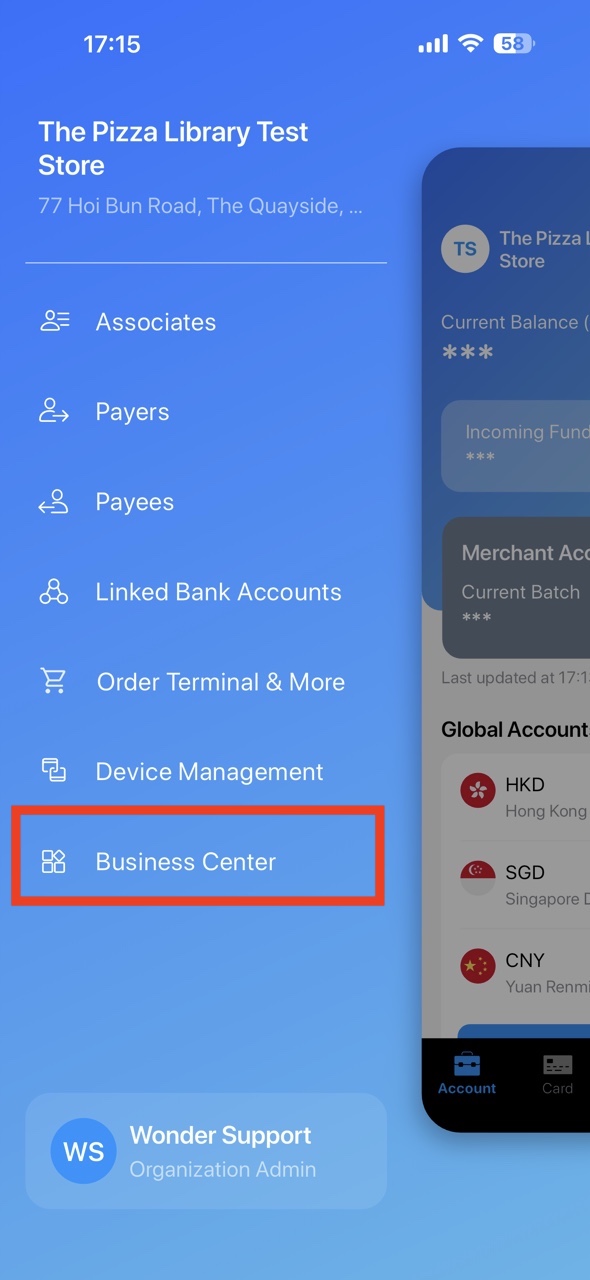
- Click the icon on Account page and open "Business Center" in the sidebar.
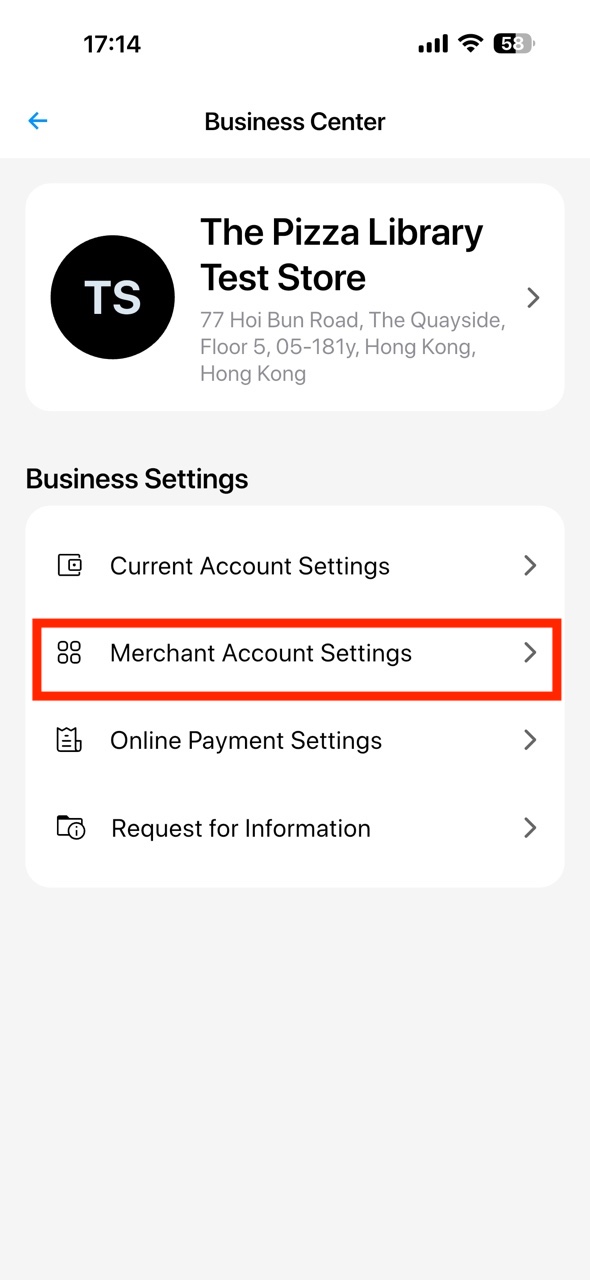
- Click "Merchant Account Settings".
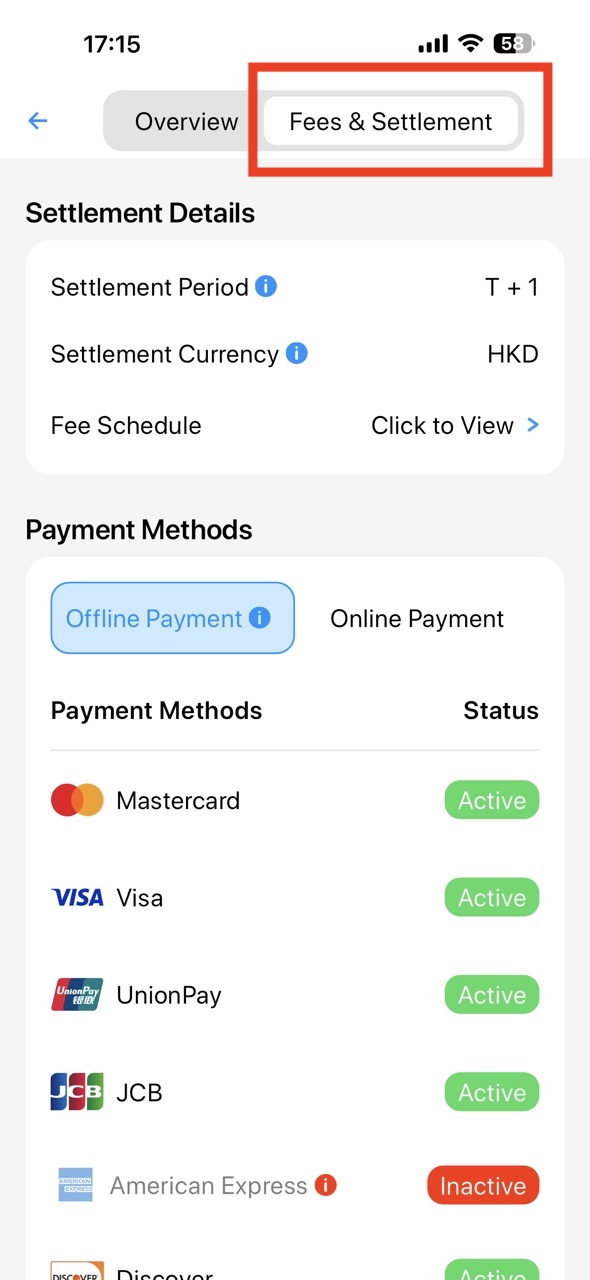
- Select "Fees & Settlement" and view the Settlement Details.
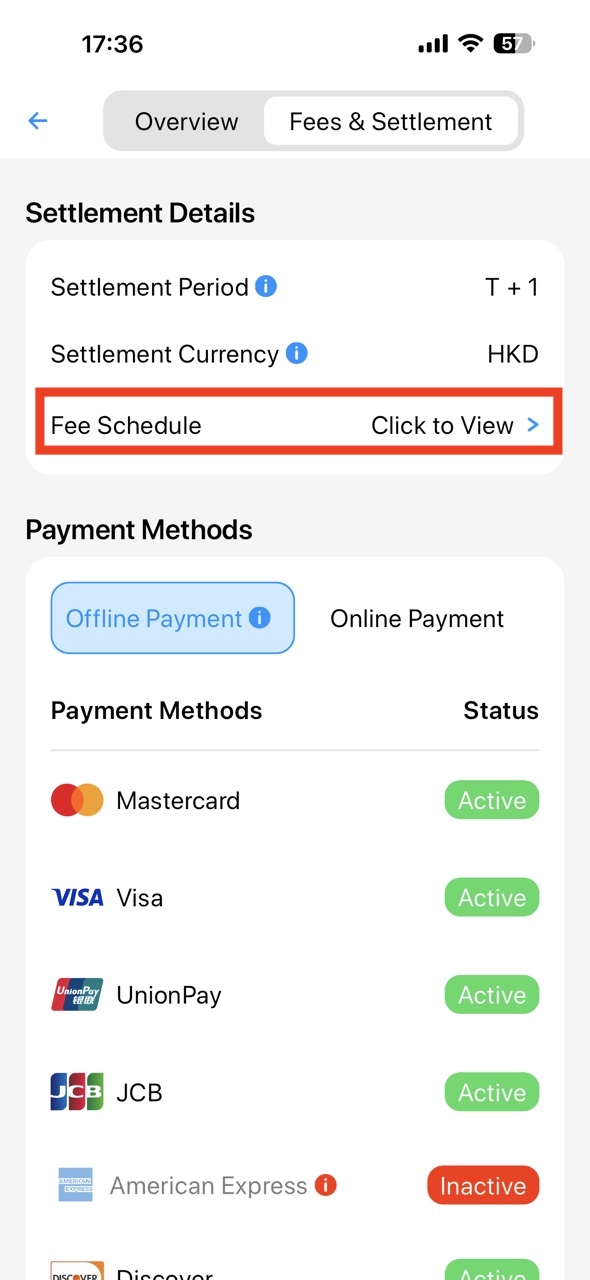
- You can export the Fee Schedule file to view the rate of each payment methods.
Did this answer your question?
If you still need help, our merchant support team is one message away.
Chat on WhatsApp