
How to Check Transaction Records of a Specific Terminal Device Under the same Merchant Account
Accept Payment with Wonder Smart POSWonder mPOS 1 min read Created January 15, 2026 Updated September 30, 2026
How to Check Transaction Records of a Specific Terminal Device Under the same Merchant Account
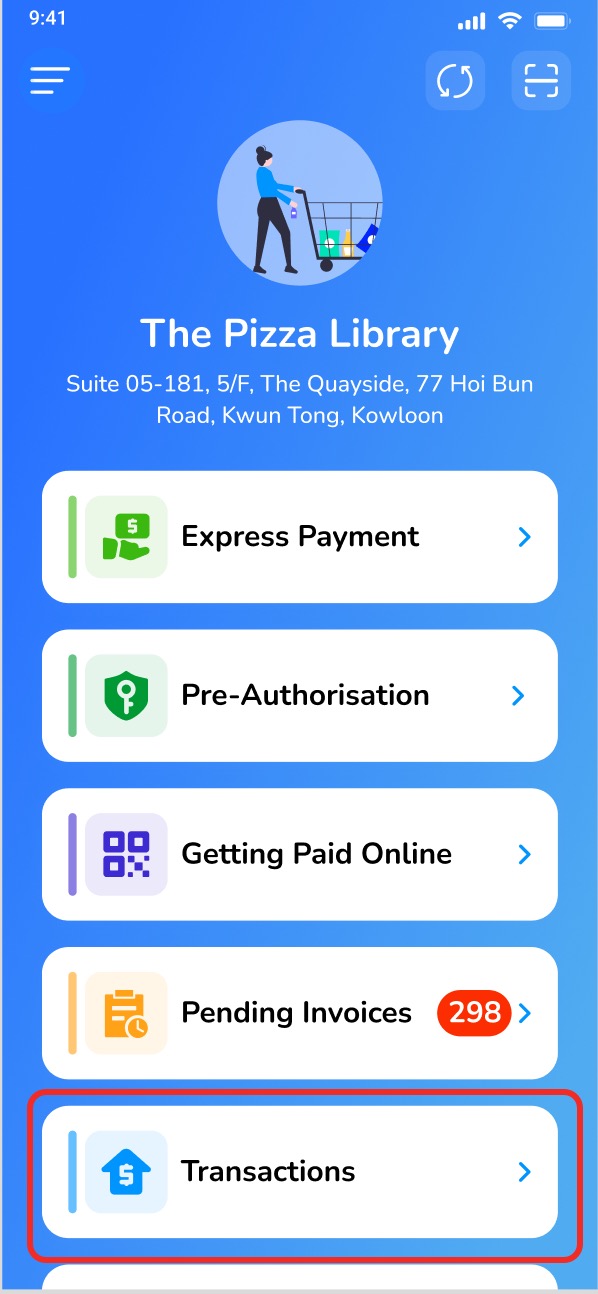
- Click on [Transactions].
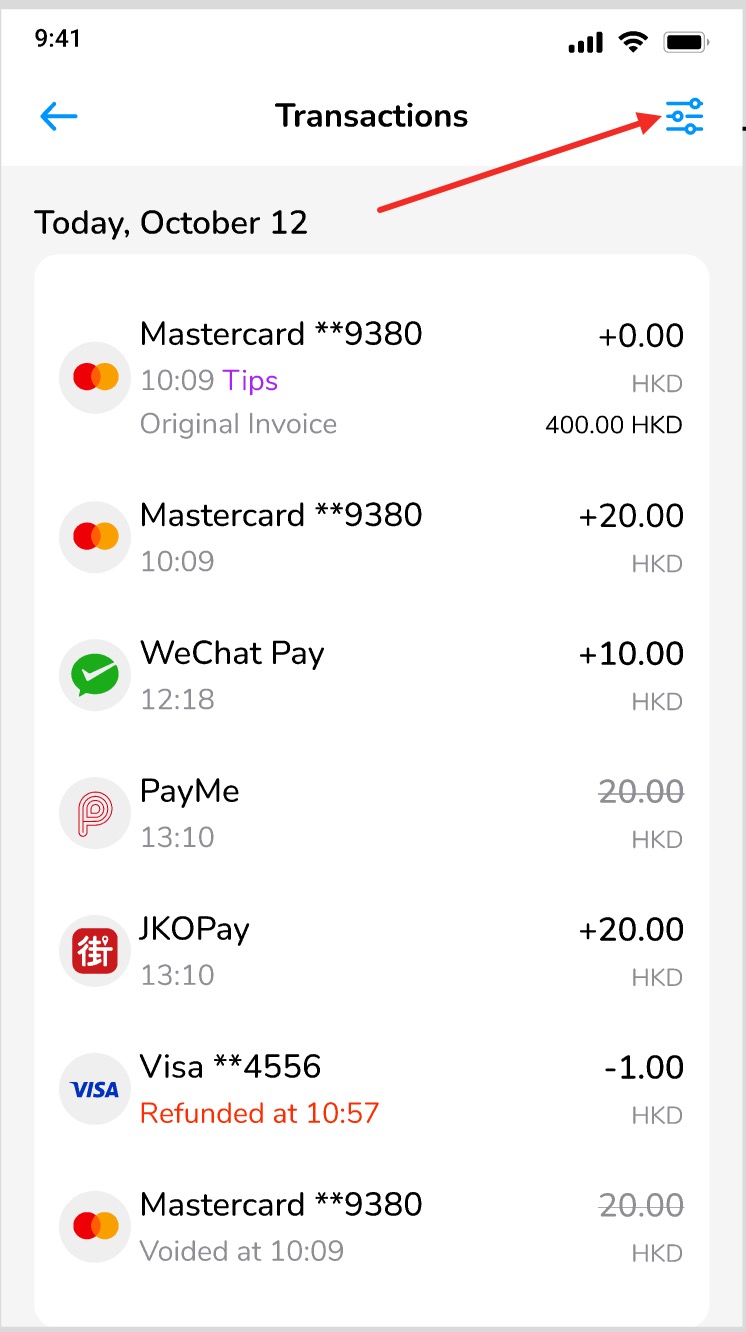
- Click the Filter button.
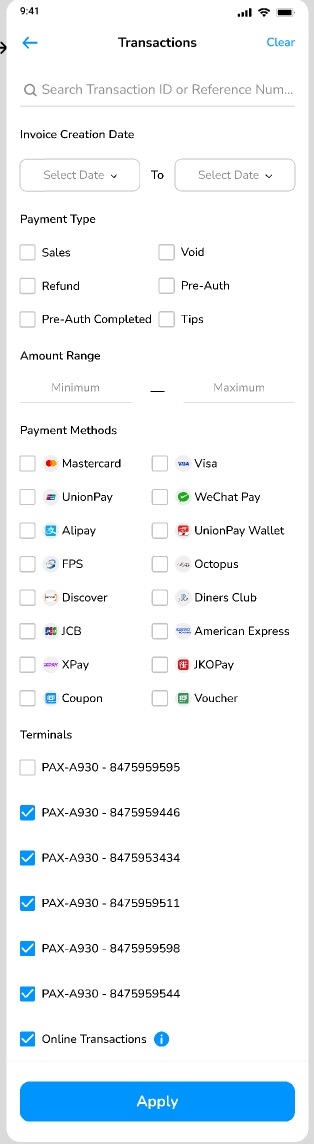
- Select the relevant terminal to check the data.
Did this answer your question?
If you still need help, our merchant support team is one message away.
Chat on WhatsApp