
How to Check and Do Payout in Wonder Dashboard
Current Account & eWalletsWonder Dashboard 1 min read Created January 11, 2024 Updated September 30, 2026
You can control payout flow with your associates; Directors and Organisation Admins are able to make payout, and approve/reject other associate’s payout request. Other associates can create payout requests for reimbursement, operational, and non-operational expenses; and will get notification immediately when the admin has approved/rejected your payout reques.
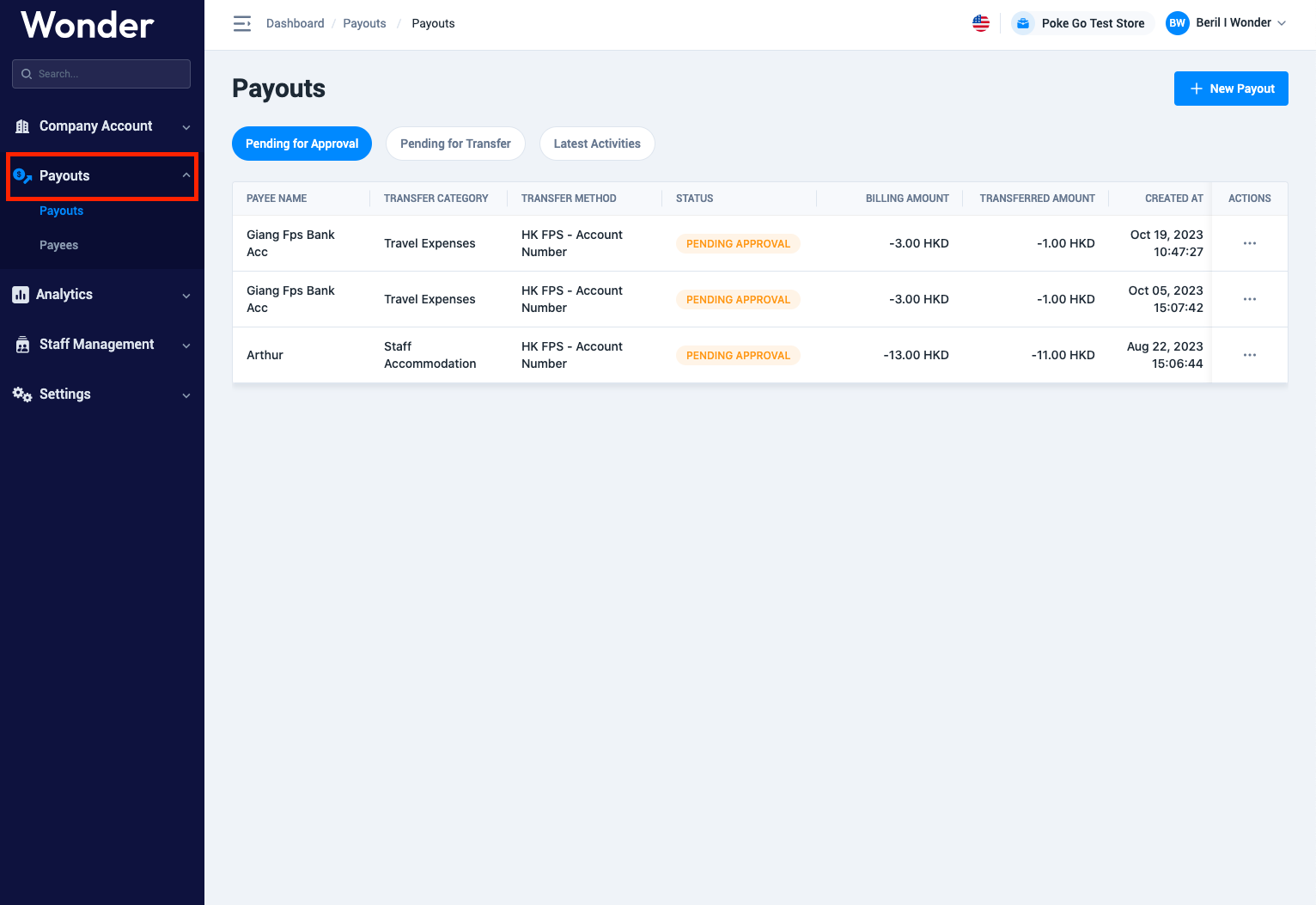
How to Check Payouts
- Go to your store in Wonder Dashboard
- Select "Payouts"
How to Do Payout
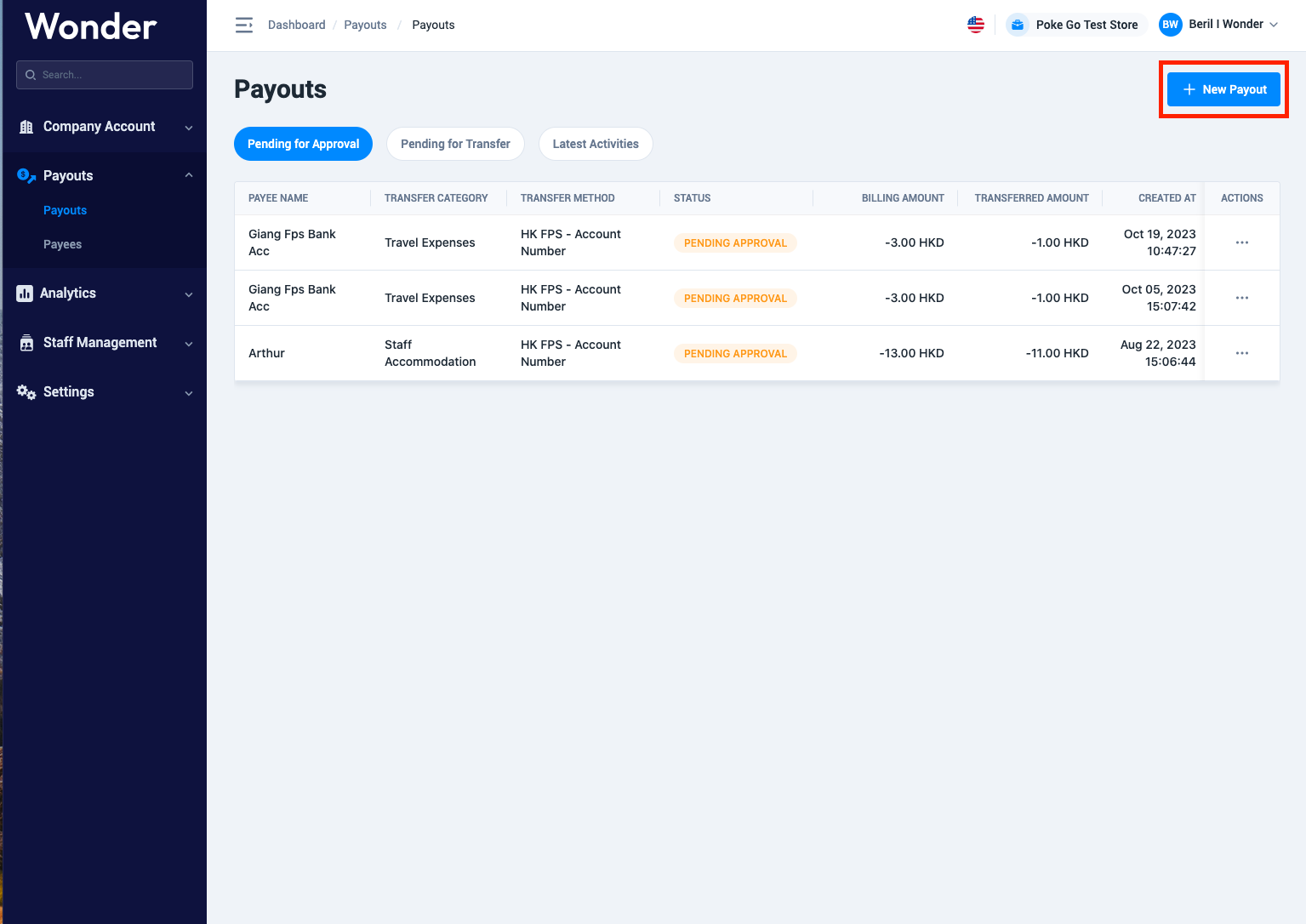
- Select "New Payout"
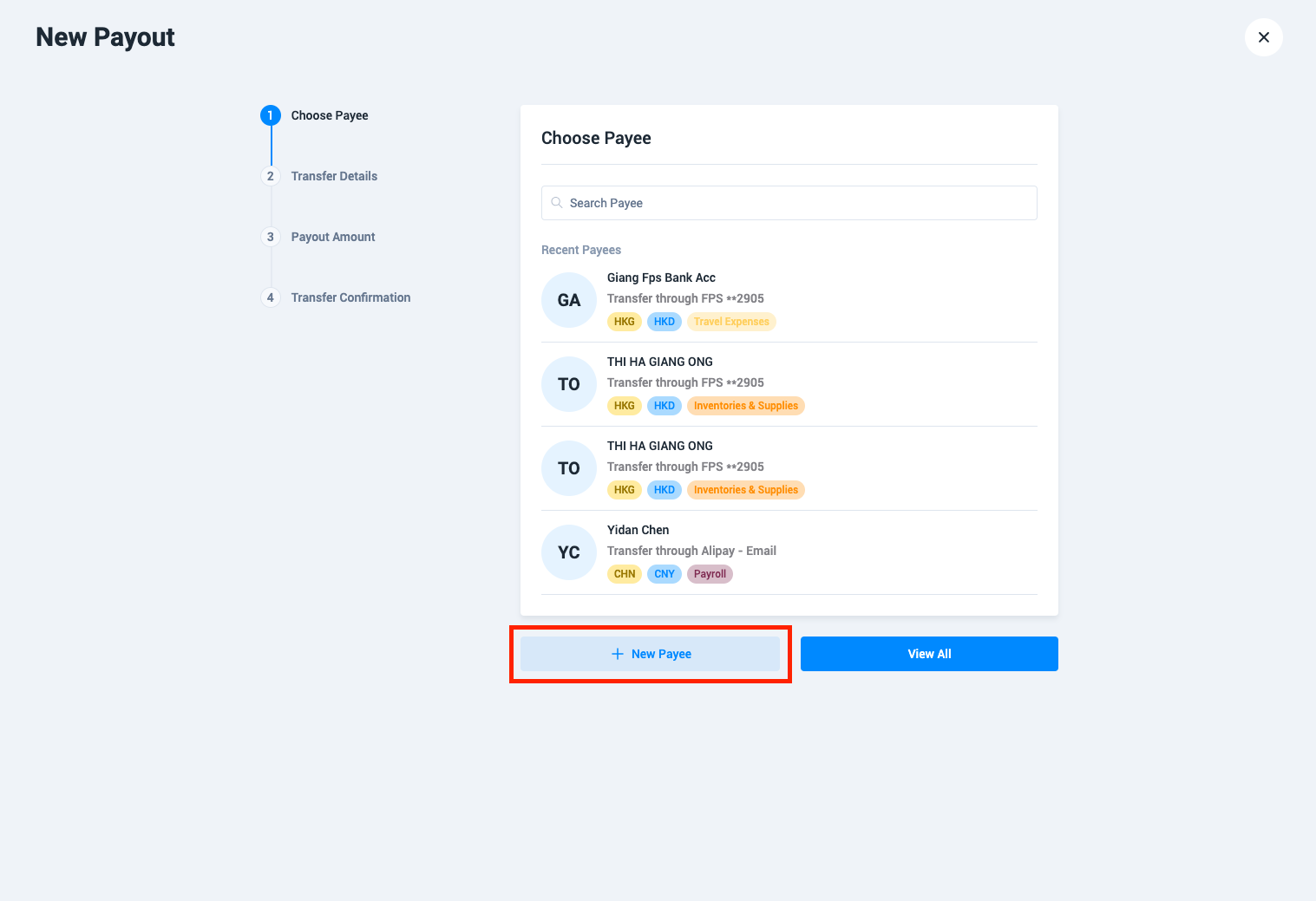
- Choose an exiting one or add "New Payee"
- Choose the destination country and currency
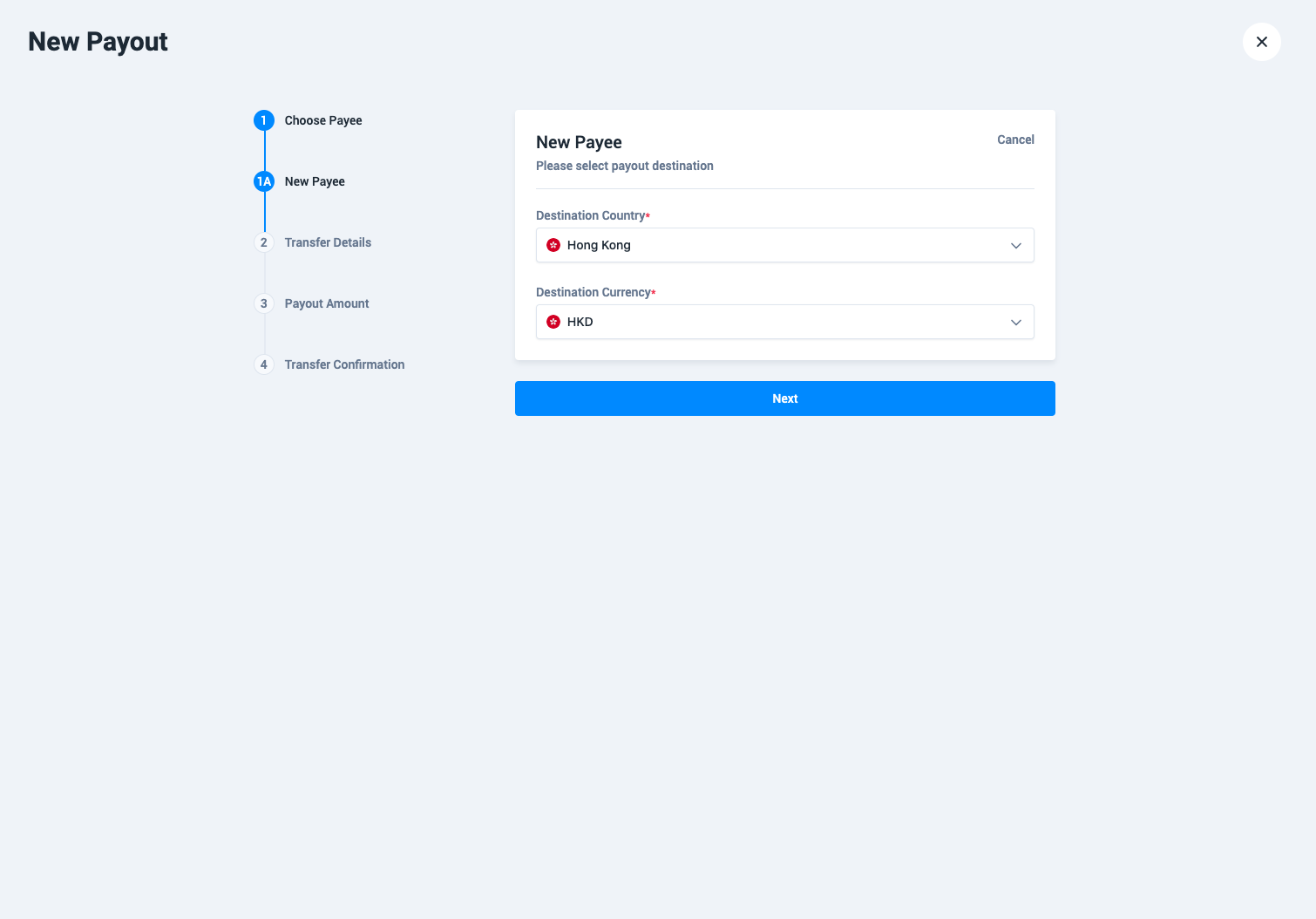
- Select the payout method
- Add payee information
- Select "Transfer Date", "Purpose of Transfer", "Category" and add additional documents if needed
- Type the amount you would like to send
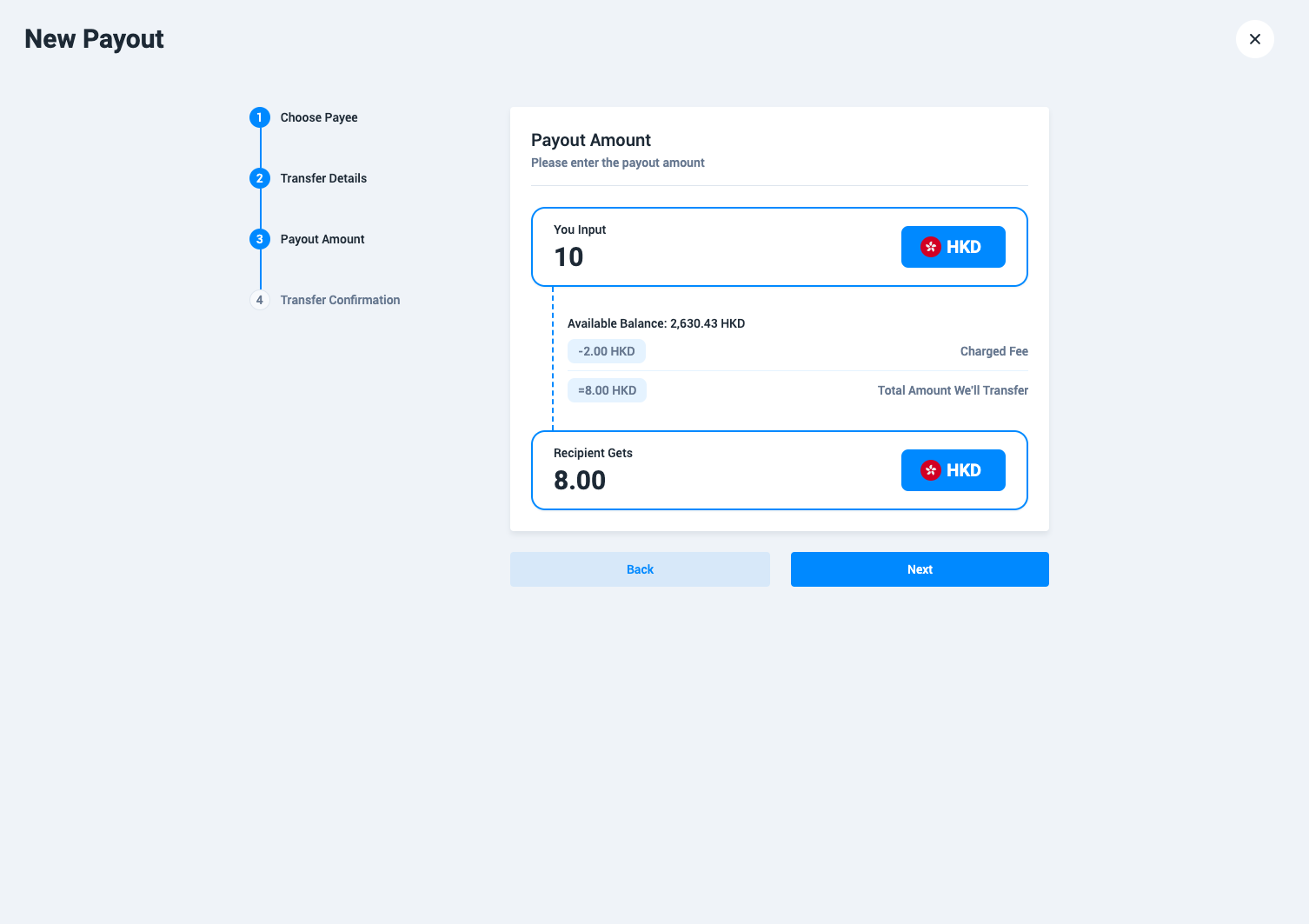
- After you confirm, your payout will be created
Did this answer your question?
If you still need help, our merchant support team is one message away.
Chat on WhatsApp