
Generate Merchant Initiated Token in Wonder Dashboard
Generate Merchant Initiated Token in Wonder Dashboard
- Go to your merchant account and choose "Payers" under "Payment Acceptance".
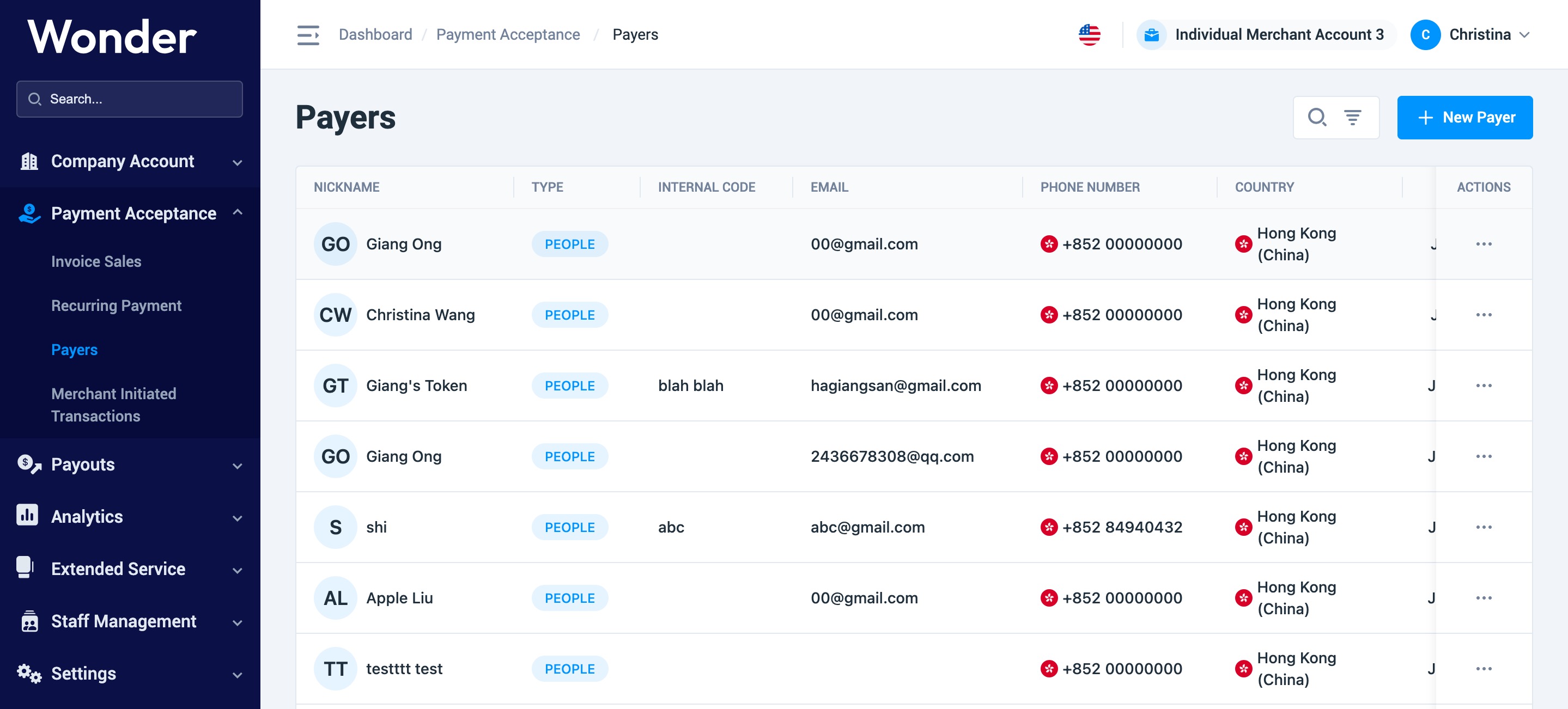
- Choose a Payer record or create a new payer by clicking " New Payer" and enter into the detail page.
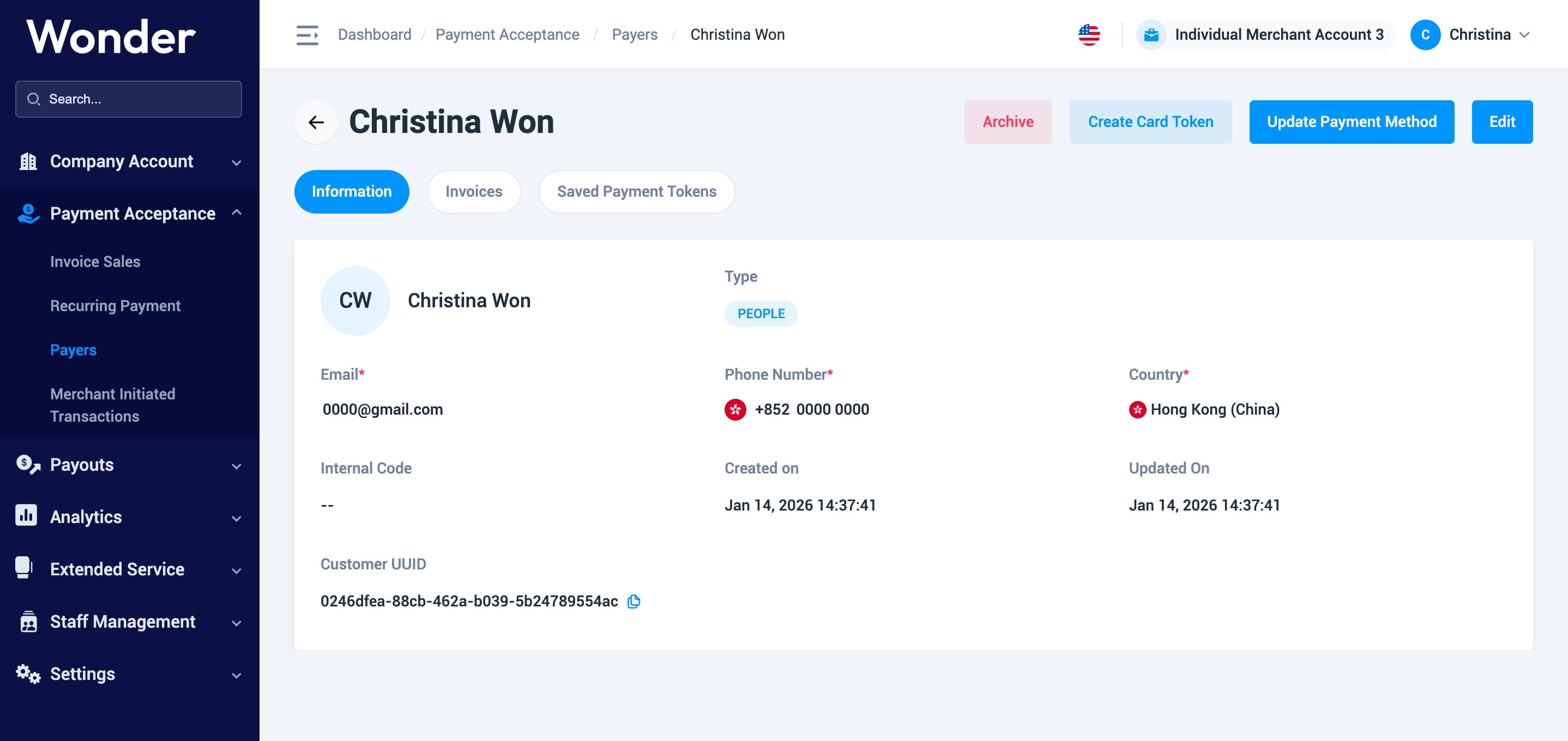
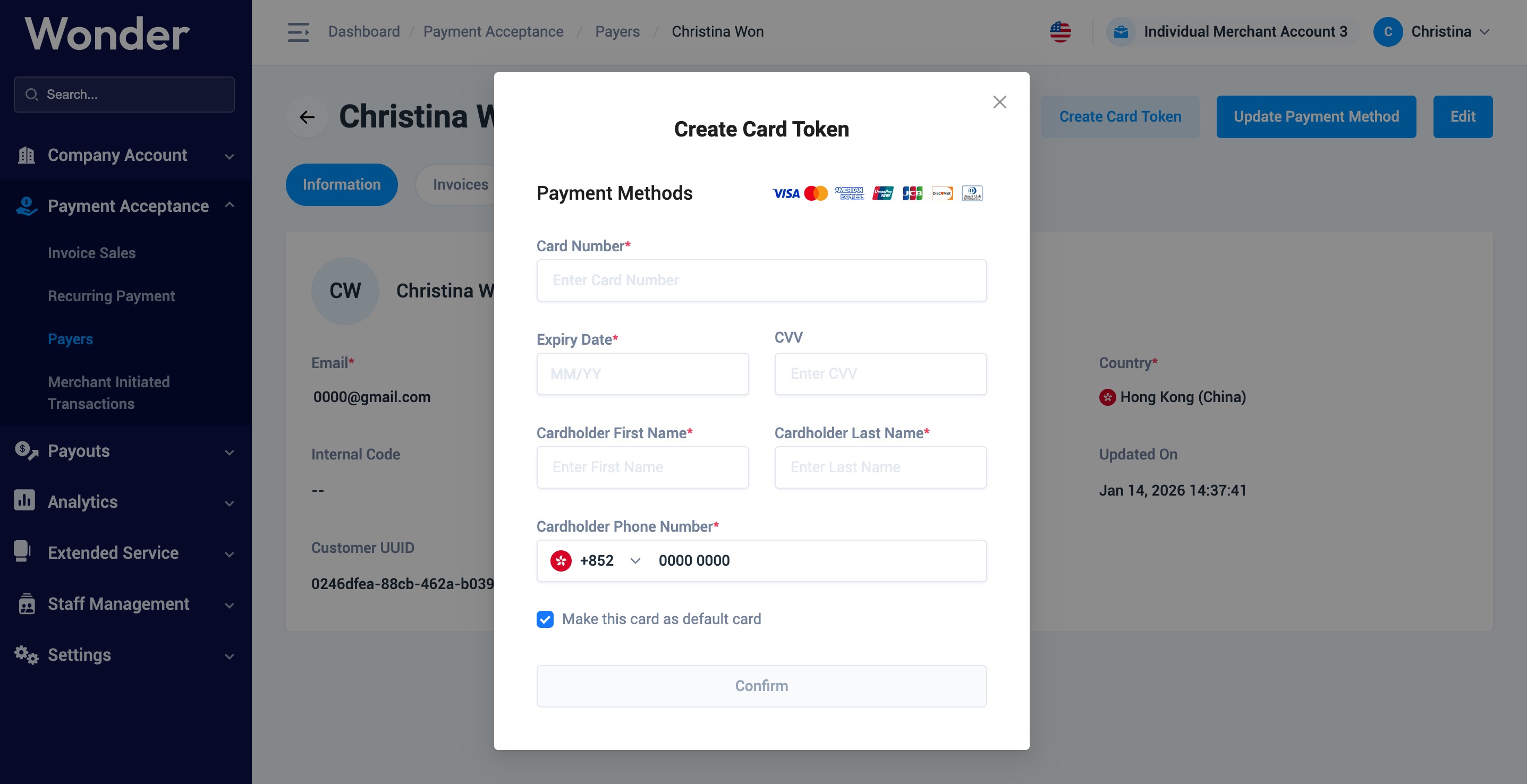
- Click Create Card Token button and input card information as required and click Confirm.
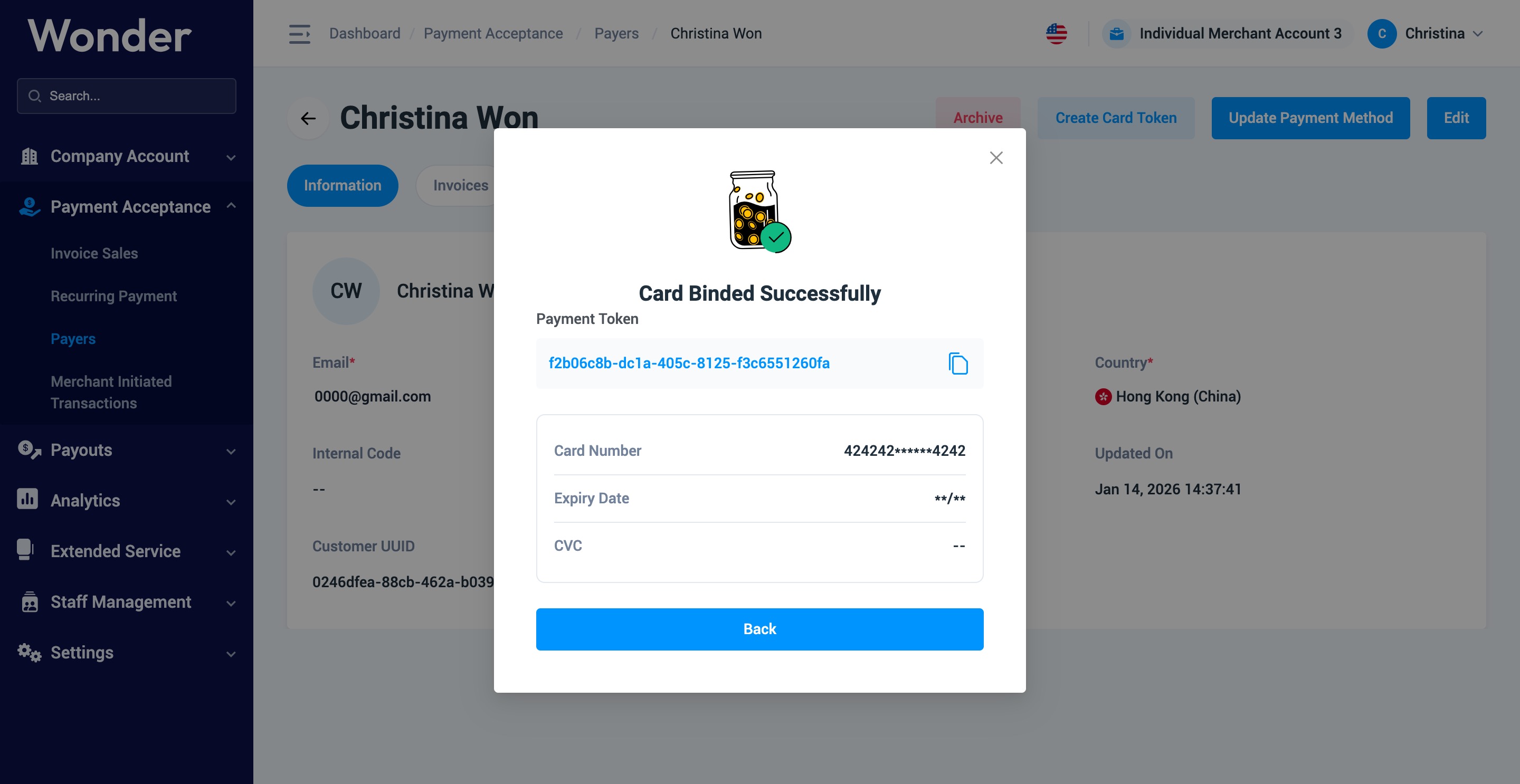
- You'll see that the card token has been successfully created. Please note that the cardholder might see a voided 1.00HKD (or equivalent) on their issuer side. This is the pre-authorized transaction done for the card validation purpose. No actual charge will be made for this process.
Did this answer your question?
If you still need help, our merchant support team is one message away.
Chat on WhatsApp