
How to activate your Personal Account
Set Up Wonder Business AccountMerchant AccountWonder Mobile App 1 min read Created August 30, 2026 Updated September 30, 2026
A Personal Account is for self-employed use (freelancer, hawker, taxi driver, tutor, etc.).
If you just signed up (Welcome Page)
- After sign-in, you’ll be guided to the welcome page.
- Select Use as a Sole Proprietor.
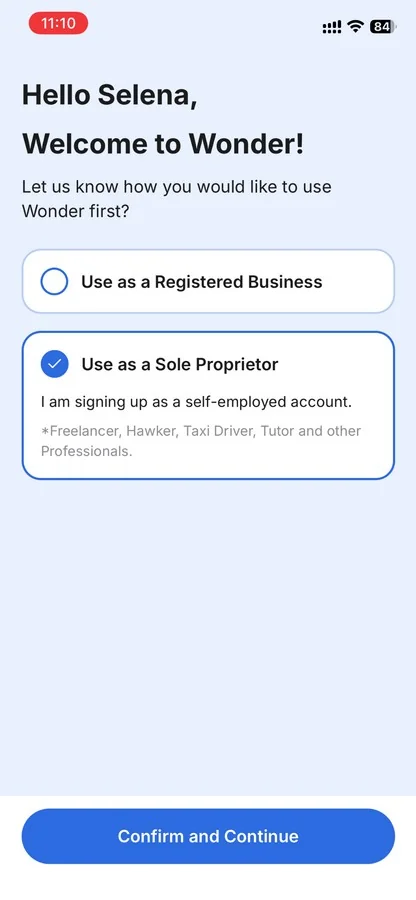
- Tap Confirm and Continue.
- Choose your account nature (driver, hawker, tutor, or professional) and tap Activate Now.
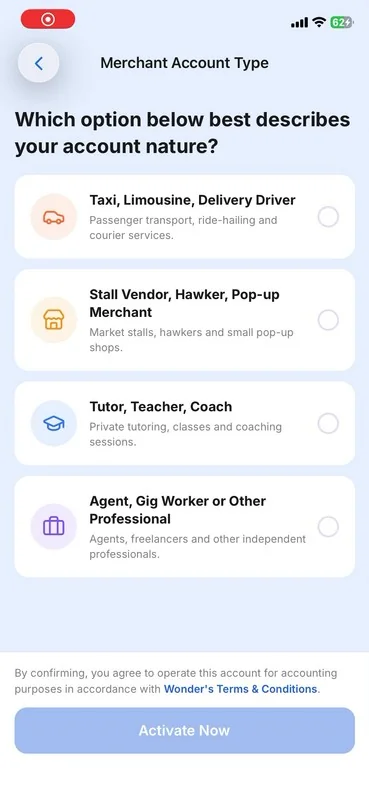
- Follow the on-screen instructions to agree to the terms and sign the merchant services agreement.
- Once completed, click Enter Wonder to enter the Business Overview Page and start exploring our features.

If you already use Wonder (Business Directory)
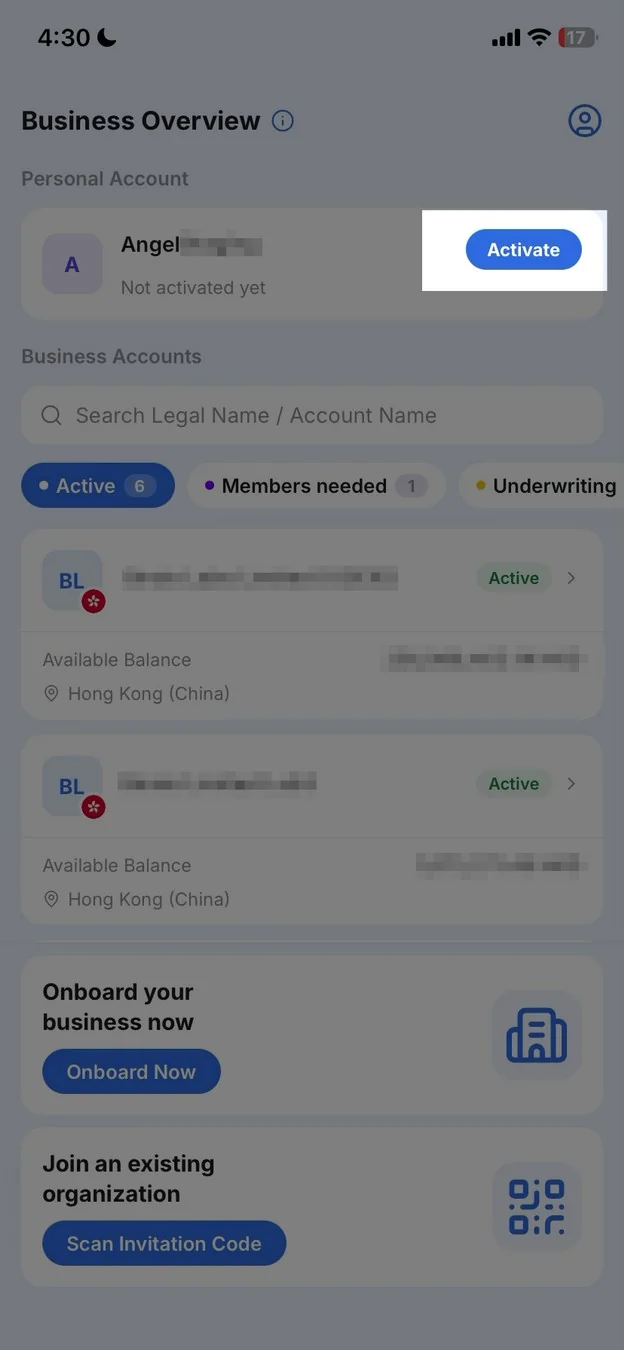
- Open Business Directory (tap the account name on Home, or the menu).
- Under Personal Account, tap Activate.
- Choose your account nature (driver, hawker, tutor, or professional) and tap Activate Now.
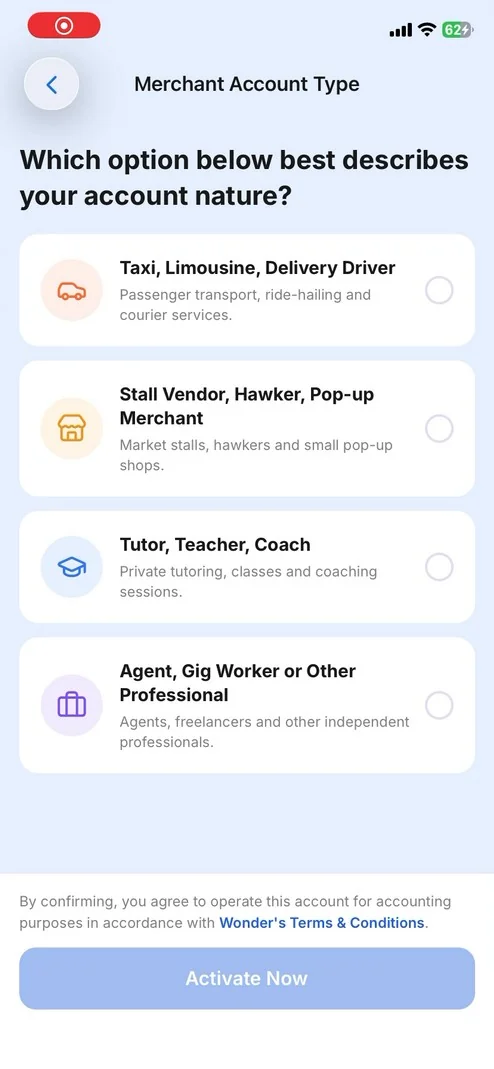
- Follow the on-screen instructions to agree to the terms and sign the merchant services agreement.
- Once completed, click Enter Wonder to enter the Business Overview Page and start exploring our features.

Did this answer your question?
If you still need help, our merchant support team is one message away.
Chat on WhatsApp