如何提升貴公司的 KYC 等級

設置 Wonder 企業帳戶店鋪帳戶Wonder 行動應用程式 閱讀時間 3 分鐘 已更新 2026年8月24日

帳戶 KYC 第 2 級是一項額外的驗證程序,需提供地址證明以解鎖更多功能(例如資金存款及商家服務)。此程序與「使用者設定」中的「個人身分驗證」不同。

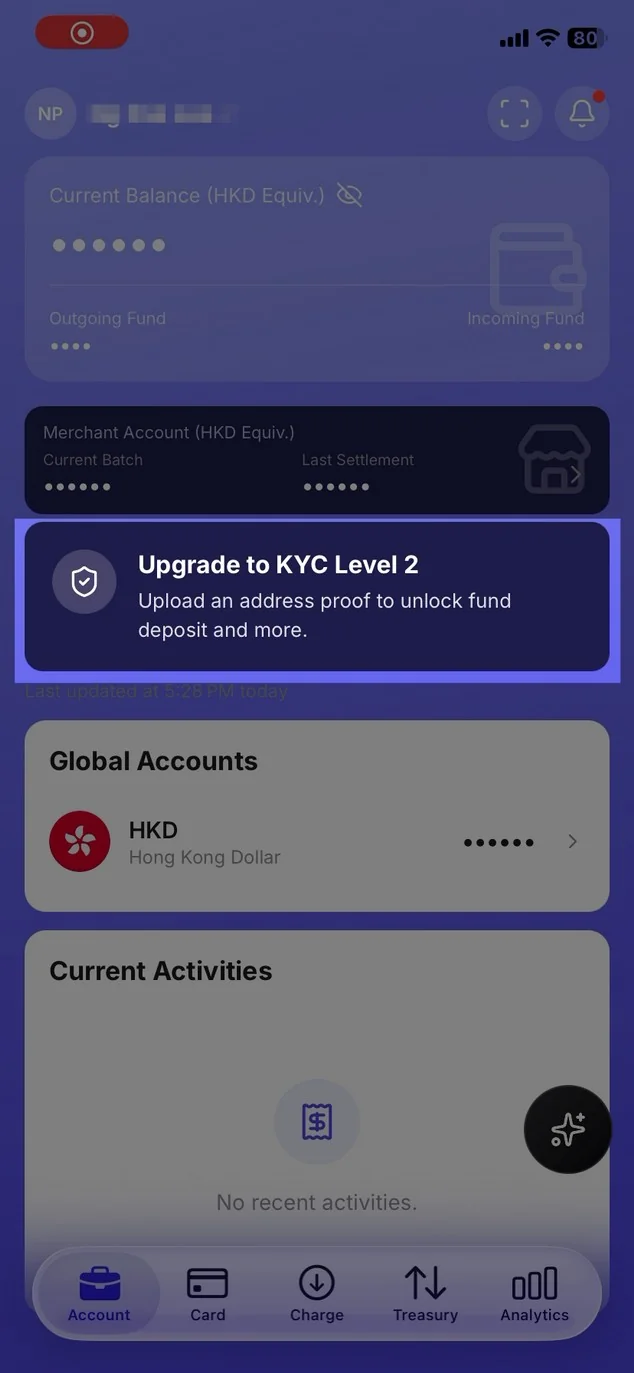
來自首頁(此橫幅僅向部分使用者顯示)

1. 在您的「個人帳戶」中開啟帳戶,並點擊「KYC 第二級」卡片。

Mobile app home screen showing the Upgrade to KYC Level 2 banner

2. 若顯示此選項,請點選「解鎖第二級 KYC」。

從「設定」進入(若未顯示橫幅,請使用此選項)

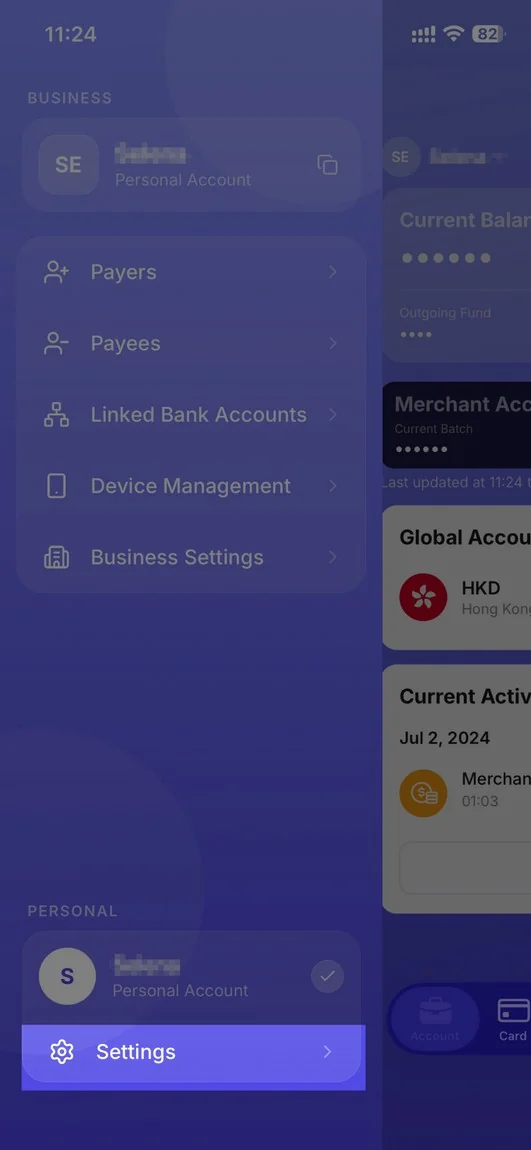
1. 開啟「設定」(選單,或「商業名錄」中的人物圖示)。

Mobile banking application interface showing business and personal account settings

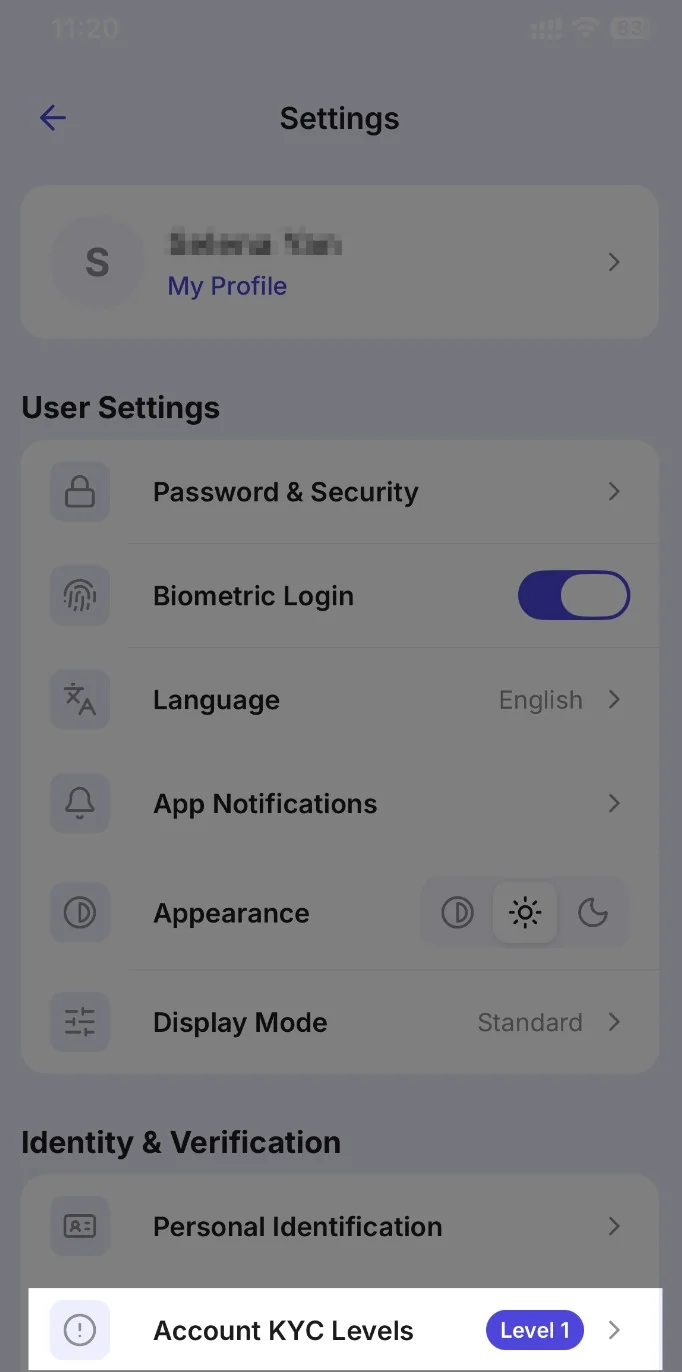
2. 在「身分與驗證」下,點選「帳戶 KYC 等級」。

Settings menu screen showing user profile, user settings, and identity & verification options

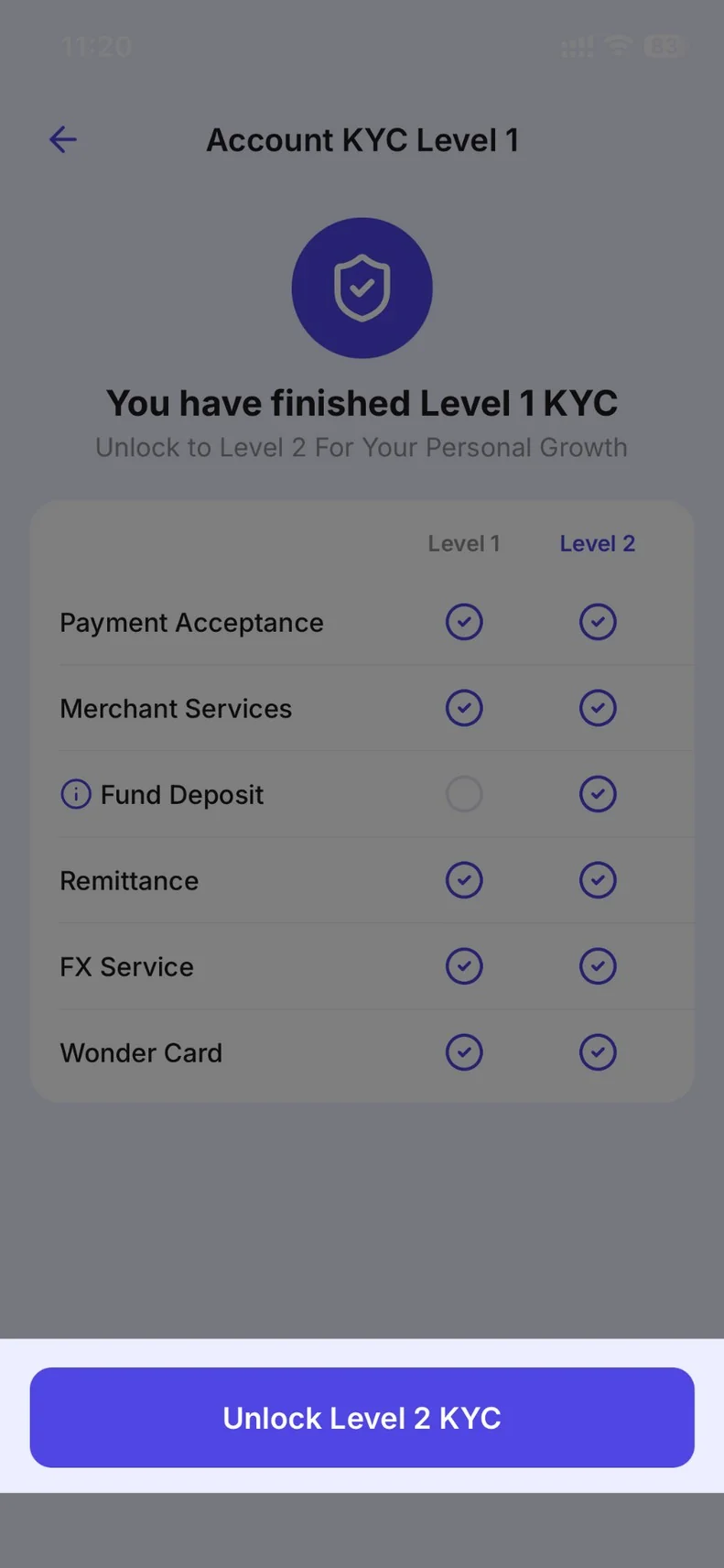
3. 若顯示「解鎖第 2 級 KYC」,請點擊該選項。

Account KYC Level 1 screen showing Level 1 and Level 2 service availability

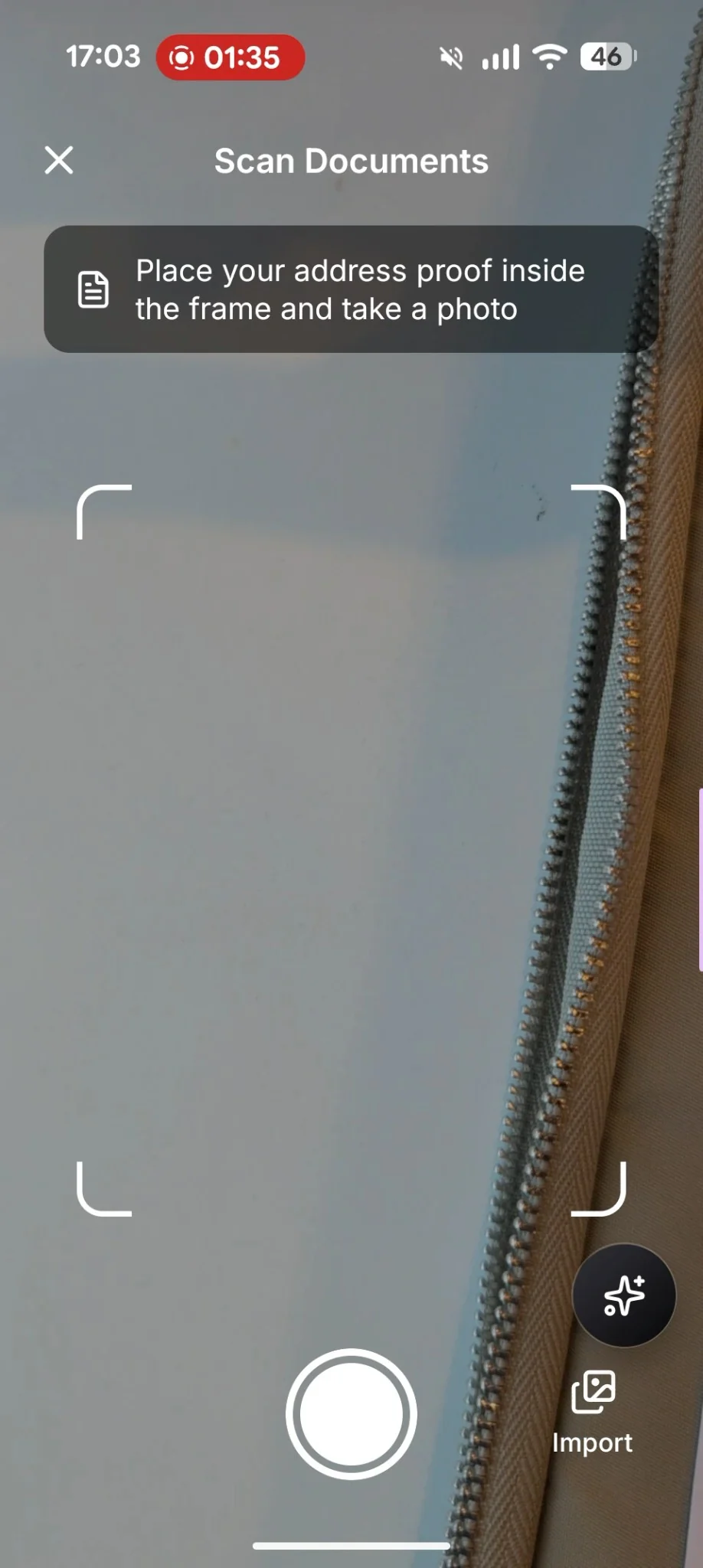
4. 請依照螢幕上的指示,按照說明掃描地址證明文件。

Mobile app interface for scanning documents, showing a camera view with a frame, a shutter button, and an import option

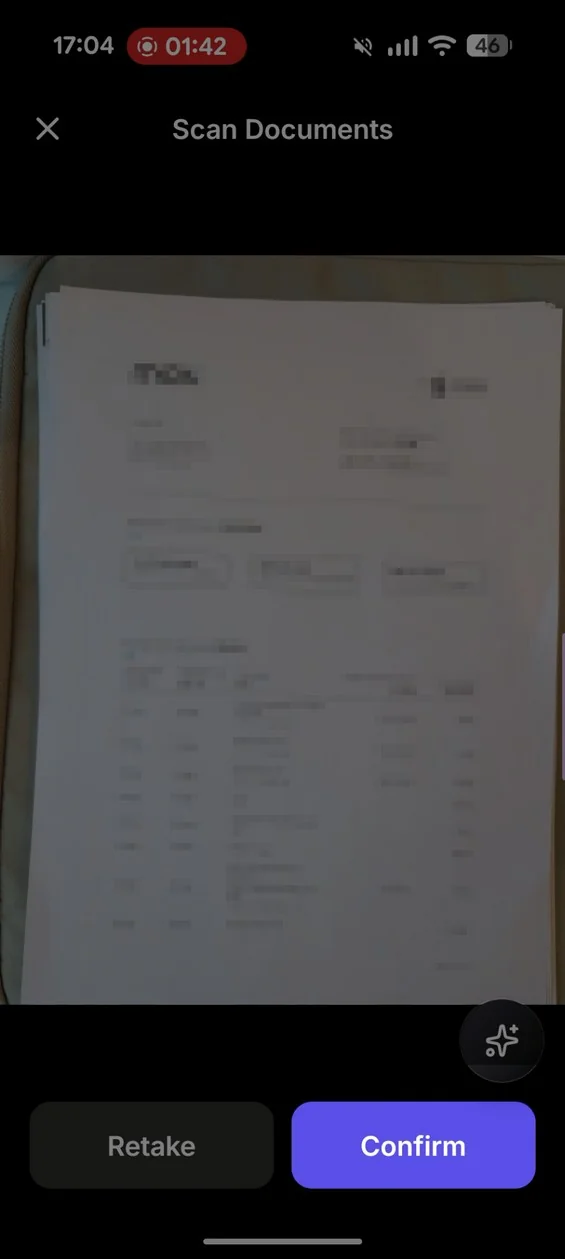
5. 請仔細檢查文件內容,然後點擊「確認」以繼續,或點擊「重做」以返回上一步驟。

Document scanning interface showing a preview of a document with Retake and Confirm buttons

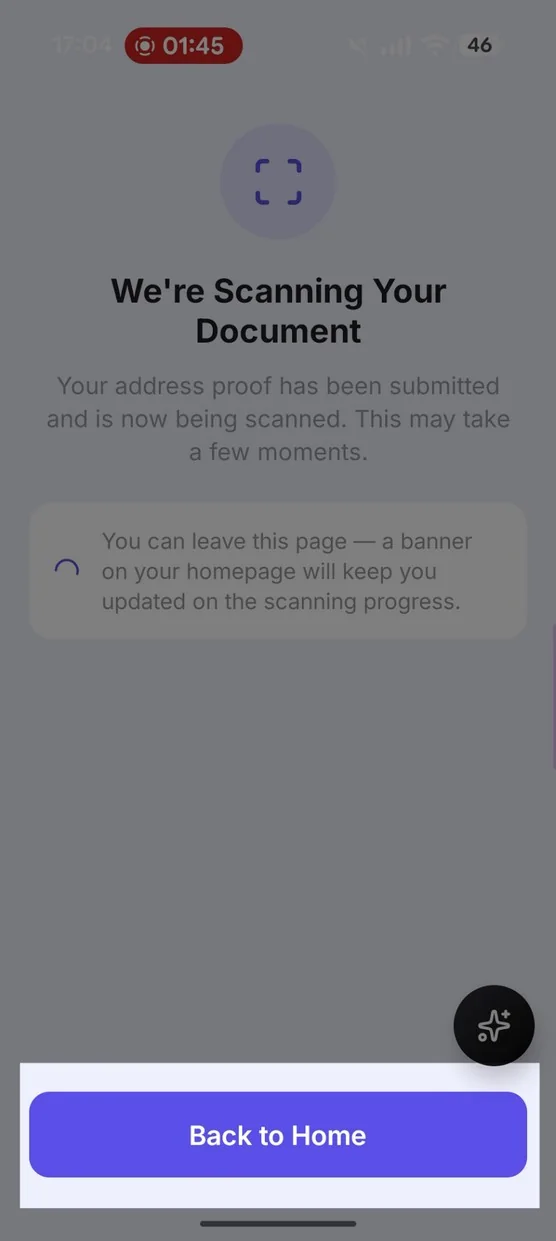
6. 點擊「返回首頁」回到主畫面,並等待 3 至 5 分鐘以查看結果。

Scanning progress screen with the message We're Scanning Your Document and a Back to Home button

7. 返回模組查看結果。一旦獲准,您可能會看到「您的 KYC 等級已升級!」的提示。
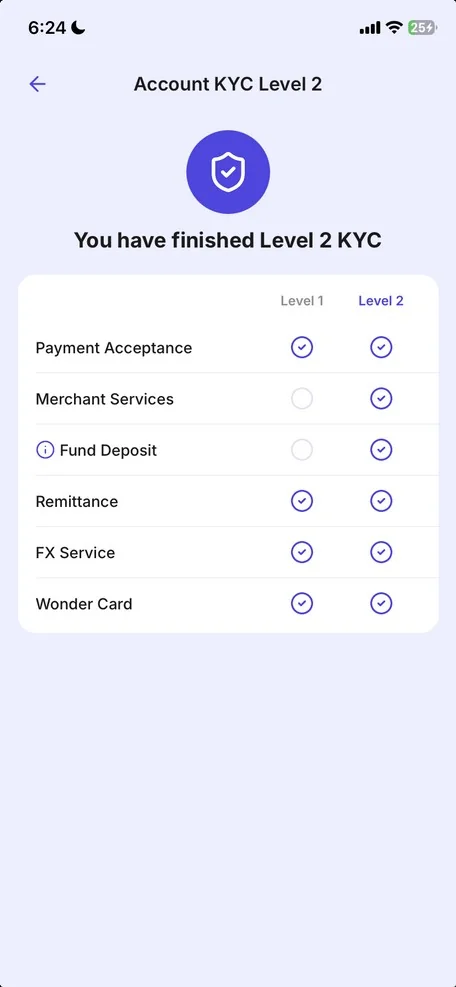
Account KYC Level 2 screen showing Level 2 completion

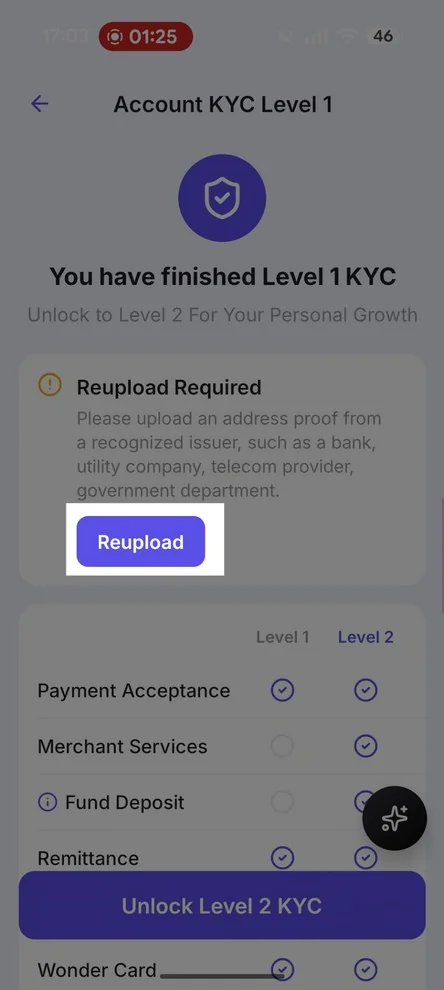
8. 若被要求,請重新上傳或再次嘗試。

Account KYC Level 1 screen showing Reupload Required

這個回答解決了您的疑問嗎?

如果您仍需協助,只需發送一則訊息,我們的商家支援團隊便會立即為您服務。

在 WhatsApp 上聊天

相關文章